Google Ads Not Converting? 11 Reasons Clicks Do Not Become Leads
If Google Ads is getting clicks but not enough leads, the issue may be campaign intent, page relevance, form friction, tracking, or follow-up. Use this checklist to find the leak.
Quick answer
Google Ads usually stops converting for one of three reasons: the wrong people click, the landing page does not match the promise, or the lead path has too much friction. The campaign can look active in Google Ads while the business still receives weak leads, missing calls, or no form submissions at all.
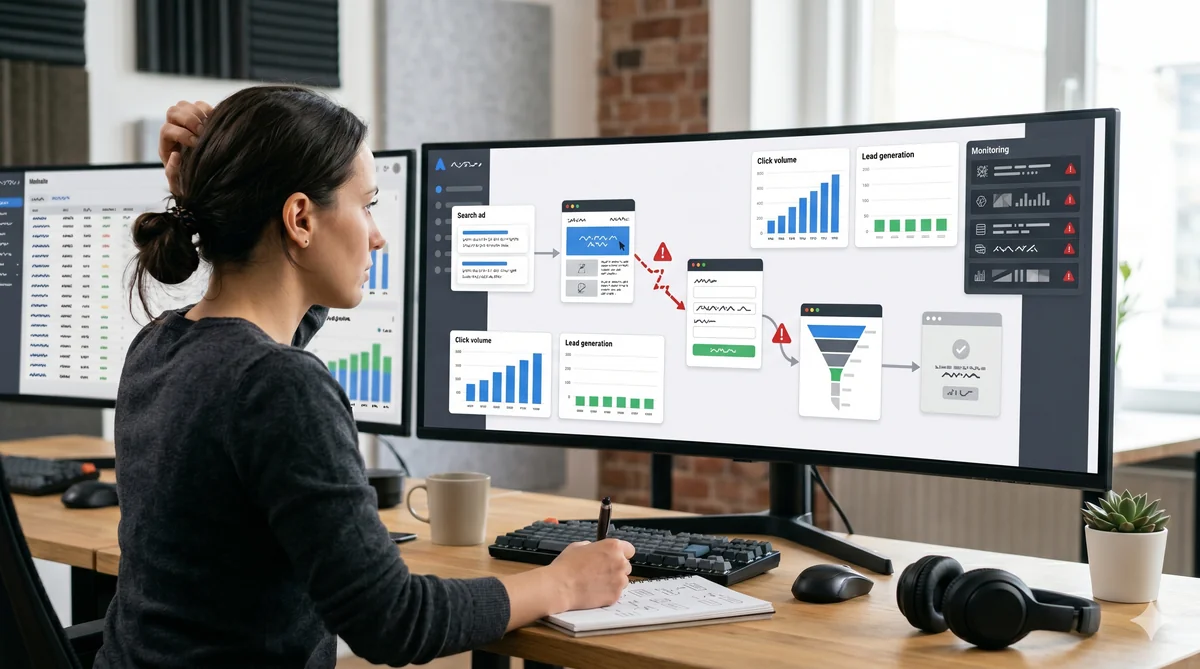
The fix is not always to raise the budget. First, check the path from keyword to ad to landing page to form to follow-up. If one part is misaligned, every paid click becomes more expensive.
1. The keyword intent is too broad
Broad informational keywords can bring traffic, but they may not bring people ready to act. A person searching what is Google Ads is in a very different stage from a person searching emergency HVAC repair quote.
Review your search terms, not only your keywords. Pause terms that show low buying intent and separate research queries from lead-generation campaigns.
2. The ad promise does not match the page
If the ad promises a free audit, the page should open with the audit. If the ad talks about lower cost per lead, the landing page should not start with a generic agency introduction.
This message match problem is one of the fastest ways to waste clicks. Your headline, first paragraph, image, and CTA should confirm that the visitor clicked the right ad.
3. The landing page is too general
Sending paid traffic to a homepage often creates unnecessary choices. Visitors see navigation, multiple services, unrelated sections, and no clear next step.
For Google Ads, build a campaign-specific page. A focused Google Ads landing page should have one offer, one audience, and one primary conversion action.
4. The first screen does not answer the visitor
The first screen should answer what this is, who it is for, why it matters, and what to do next. If the user has to scroll or think too much, many clicks disappear before the form.
Use a practical first screen: outcome headline, short proof, clear CTA, and a visual that explains the offer.
5. The form asks for too much too early
Long forms can reduce conversions, especially on mobile. Ask only for the information needed to respond well. For many lead campaigns, name, phone or email, and one qualifier are enough.
If lead quality is poor, add one useful qualifying field instead of five unnecessary fields.
6. Trust is missing near the CTA
Users hesitate before forms. Place proof near the decision point: testimonials, certifications, process steps, delivery times, or a short case snapshot. Vague claims do not help much. Specific proof does.
7. Mobile experience is weak
Many paid clicks happen on mobile. Check button size, form spacing, image loading, sticky elements, and whether the CTA is visible without fighting the layout.
A page can look fine on desktop and still fail on a phone.
8. Tracking is broken
Sometimes Google Ads is converting, but the conversion action is not firing. Test the form, thank-you page, call tracking, analytics event, and CRM notification before changing bids.
A tracking issue can make a working campaign look broken.
9. The offer is not strong enough
A weak offer creates low conversion even with good traffic. Book a call may be too generic. Try a more specific next step: get a landing page audit, request a quote, check my campaign page, or receive a 10-minute review.
10. Follow-up is too slow
Lead generation does not end at the form. If the sales team responds hours later, paid leads cool down. Make sure notifications, routing, and response expectations are clear.
11. You are optimizing one metric only
More conversions are not always better if they are poor leads. Track conversion rate, cost per lead, and lead quality together.
What to fix first
Start with the highest-intent campaign. Compare the search term, ad copy, landing page headline, CTA, and form. If they do not all point to the same outcome, fix that before increasing spend.
FAQ
Should I rebuild the campaign or the landing page first?
If search terms are relevant but leads are weak, start with the landing page. If search terms are irrelevant, fix targeting first.
Is low conversion always a Quality Score problem?
No. Quality Score can reveal relevance issues, but conversion depends on offer, page clarity, form friction, trust, and follow-up.
Can AI help fix this faster?
Yes, if the strategy is clear. AI can help create focused page variants, but a human should still define the offer, proof, and qualification logic.
Build high-converting landing pages in seconds
Axerto generates complete landing pages from your Google Ads campaigns with AI.
Try Axerto Free